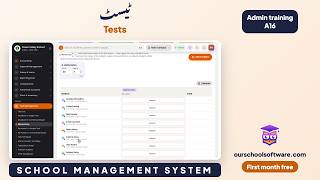
This video is 4 minutes long and shows exams part 1, before the exam on the real screens of the software, step by step, with Urdu and English captions. It is for principals, admins and office staff. Below are the same steps in writing, so you can follow along at your own pace or come back to a step later.
In this video
- The exam & grades
- Date sheet
- Exam rooms
- Seating plan
- Door lists & slips
- Admit slips
Step by step
1. The exam & grades
- Exam Management › Exam List: each exam, like Mid Term and Final Term
- "Grades": which % gives which grade and remark
2. Date sheet
- Exam Timetable: choose the exam, class and section, then "Add paper"
- Print the date sheet, or "Send timetable via WhatsApp" to parents, with the syllabus
3. Exam rooms
- "Exam Rooms": halls and classrooms with rows, benches and children per bench; for girls or boys
4. Seating plan
- "Seating Plan": choose the exam and set the rules
- Boys and girls in separate rooms or separate rows; different classes side by side so no one can copy
- Paper sets (A, B, C) and the seat number style: roll number, board number or G / B series
- A map of each room: who sits at which desk; click a child to move or "Lock" them
- All 170 children have a desk: how many girls and boys, how many rooms and paper sets
5. Door lists & slips
- Print: lists for the doors, slips to stick on desks, and the room register
6. Admit slips
- "Admit Cards / Exam Slips": each child's slip shows the roll number, room and desk; on WhatsApp too
The names and numbers in the video are from a demo school and are made up.