School Expenses
School Expense Record
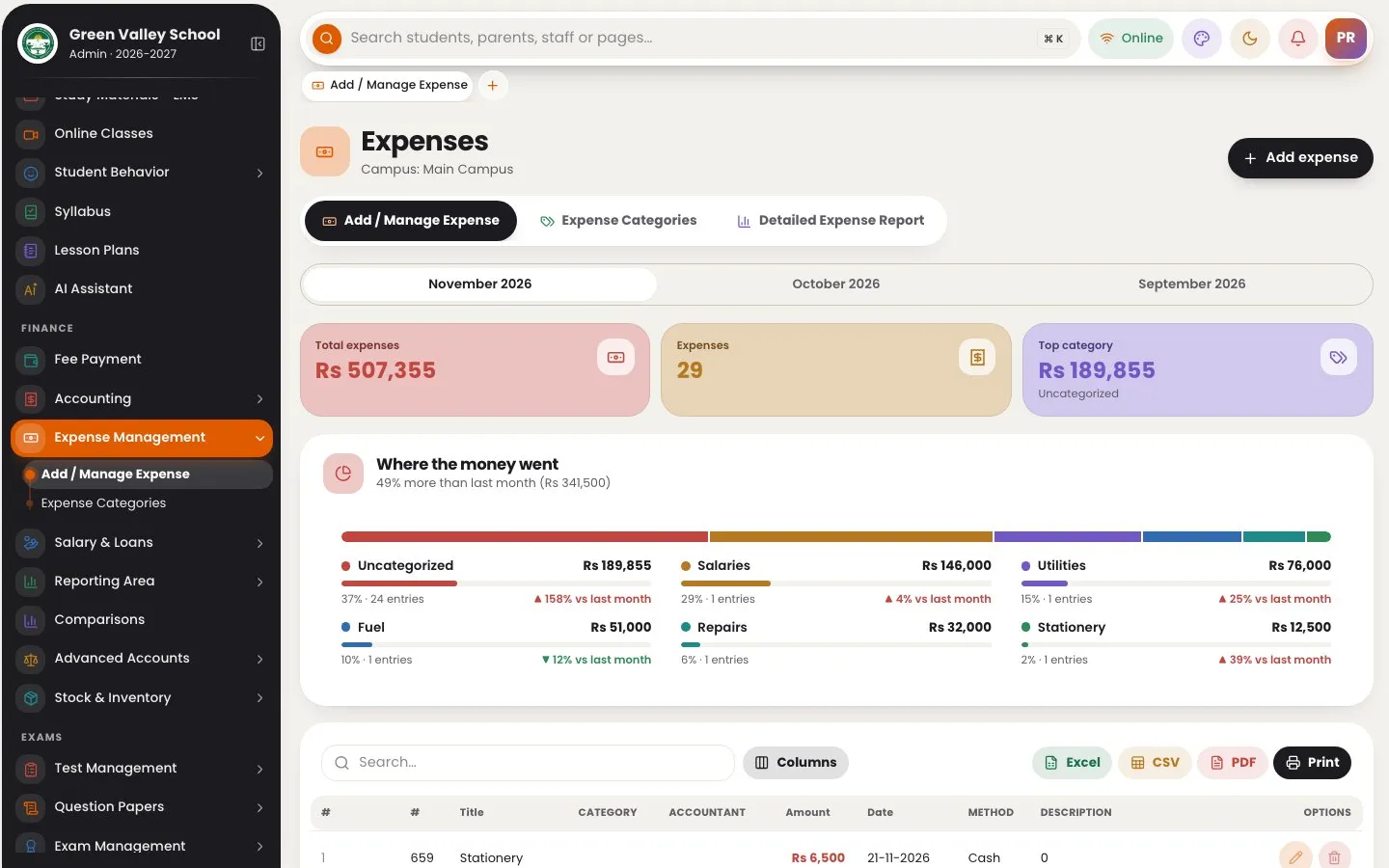
Generator diesel, chalk, the electricity bill, a plumber — small expenses add up. Educationist records each one with its bill photo and head, stops entries being changed later, and shows the owner exactly how much came in and went out.

What it does
- Expenses under your own heads: bills, repairs, stationery, events and more
- Photo or PDF of the bill with each entry
- The owner edits any expense; other admins and accountants only their own, on the same day
- Income against expense for any day, month or year
- Detailed expense report by head
- Petty cash, vendors and budgets in the accounts module
Step by step
How it works
- Set expense headsOnce, in your own words.
- Enter expensesAmount, head, date and the bill photo.
- Check the monthIncome against expense, head by head.
More screens


Questions about school expenses
Can we keep the bill with the entry?
Yes, a photo or PDF with every expense.
Can staff change an old expense?
No. Only the owner can; others can fix their own entries on the same day only.
Works together with
Accounts & Reports
Income and expenses, vendor bills spread over months, bank and cash, balance sheet, campus comparison and a daily summary for the owner.
Reports & Owner Summary
Fee, income, expense, class and exam reports, campus comparison, exam analysis, and a daily summary for the owner on WhatsApp, SMS or email.
Fee Challan & Collection
Make every student's fee challan in one click, take part payments, collect by JazzCash, Easypaisa, bank or Kuickpay, and chase defaulters on WhatsApp.
Your school on Educationist — first month free
Create your account in two minutes. No card, no payment — every feature of your package from day one.